HSA/FSA
How to Accept HSA/FSA Payments as a Merchant with Stripe
Find out how to accept HSA/FSA payments using Stripe, including when you qualify and how to actually set up the integration to enable HSA/FSA payments.
Last updated: January 19, 2026

Teddy Butz
Director of Product & Partner Marketing


Overview
Overview
Overview
🚀 Fast Facts: How to accept HSA/FSA payments with Stripe
Qualify using one of the three paths: having a medical MCC, using the 90% rule, or using a checkout integration
Integrate with Stripe, set up your checkout, and start accepting HSA/FSA payments
Using Flex can offer a shortcut through these steps, and level up your Stripe checkout
Stripe, one of the leading Payment Service Providers (PSPs), provides merchants with the financial infrastructure they need to process transactions effortlessly. They offer third-party payment integration capabilities for merchants looking to accept HSA/FSA payments.
Whether you’re wondering because you already have Stripe or because you’re interested in switching, we’ll cover how to accept HSA/FSA cards as a payment method with Stripe, including:
Does Stripe accept HSA/FSA cards as a payment method?
How to accept HSA/FSA payments with Stripe: the 3 paths you can take
How to start accepting Stripe HSA/FSA payments on your ecommerce website
Empower Stripe FSA/HSA payments with Flex Checkout
Let’s get started with the basics of how Stripe accepts HSA/FSA payments.
Does Stripe accept HSA/FSA cards as a payment method?
Yes, Stripe’s merchants can accept HSA/FSA card payments, and there are a number of methods you can use to qualify to use Stripe’s HSA/FSA Payments option. The core requirement is that your products need to qualify as HSA/FSA eligible, and you can let Stripe know that through any one of the following ways:
You are already set up with a healthcare-related Merchant Category Code (MCC) like 8099 for Medical Services
You attest that 90% of your volume comes from healthcare-related sales, register with SIGIS, and enable an IIAS system
You use an HSA/FSA payment processor like Flex to autosubstantiate HSA/FSA purchases for you on your Stripe-powered ecommerce site
Though it’s simple to get set up, you do need to get approved by Stripe to qualify to accept HSA/FSA payments using their platform.
How to accept HSA/FSA payments with Stripe: the 3 paths you can take
Stripe is capable of accepting HSA/FSA payments, but you need to get set up with Stripe to enable them. There are 3 different paths you can take to do this, each with varying levels of difficulty. We’re going to lay them out for you from easiest, to most time-consuming, and outline some of the pros and cons of each method:
Path 1: You have a healthcare-related MCC
If your business provides qualified medical services, you might have an HSA/FSA-eligible Merchant Category Code (MCC). These MCCs are automatically approved for HSA/FSA purchases because all of the products and services those businesses provide are eligible medical expenses.
If you already have a healthcare-related MCC, you don’t need to do anything further, as you automatically qualify to accept HSA/FSA payments. However, most online retailers don’t have one of these codes, because if you sell other kinds of products as well, or sell a lot of dual-purpose products, you likely won’t have a healthcare-related MCC.
Here are some of the most common health-related MCCs, so check if you have one:
5047: Medical Suppliers
5912: Drug Stores, Pharmacies
5975: Hearing Aids
5976: Orthopedic Goods, Prosthetic Devices
8011: Doctors and Physicians (NEC)
8021: Dentists, Orthodontists
8031: Osteopaths
8041: Chiropractors
8042: Optometrists, Ophthalmologists
8043: Opticians, Optical Goods, Eyeglasses
8049: Chiropodists, Podiatrists
8050: Nursing & Personal Care Facilities
8062: Hospitals
8099: Medical Services & Health Practitioners (NEC)
If you have a health-related MCC, you can simply accept payments through your Stripe payment platform right away. If you don’t have a health-related MCC, you need to use one of the two methods below:
Pros of This Method: This is the quickest way to accept HSA/FSA payments with Stripe.
Cons of This Method: Most online merchants don’t have healthcare-related MCCs, so it’s unlikely you qualify using this method.
Path 2: You register with SIGIS and enable an IIAS system to validate your sales
According to Stripe’s HSA/FSA payments documentation, if you attest that over 90% of your sales volume processes HSA/FSA goods, you also qualify to accept HSA/FSA payments without the healthcare-related MCC. The “90% Rule” allows merchants that attest that 90% of their sales come from prescriptions and other medical items and services to accept HSA/FSA payments without needing to implement an Inventory Information Approval System (IIAS). The 90% Rule is useful for businesses that don’t have a healthcare-related MCC, but still do almost all of their sales in healthcare-related products.
However, ‘attesting’ is not as simple as just saying it. Importantly, even with the 90% Rule, you still have to prove it by registering as a Special Interest Group for IIAS Standards (SIGIS) member, which allows you to get your products on the HSA/FSA Eligible Product List (EPL).
Typically, this is used by businesses that are heavily involved in the medical and healthcare industry, but simply don’t qualify for auto-approval, like pharmacies, drug stores, and other specialized medical, and healthcare merchants.
Merchants that don’t have healthcare-related MCCs or don’t meet the 90% Rule need to complete the IIAS certification process and implement an IIAS. This enables you to authenticate HSA/FSA payments by verifying the products at the point-of-sale.
With this method, you’ll also need to register with Visa and Mastercard, enabling auto-substantiation on HSA/FSA payments, and once you’ve completed all these steps, then reach out to Stripe and request approval to set up HSA/FSA payments as an option.
Once approved, you can enable HSA/FSA payment processing on your site. To learn more, we have a full guide on how to get your products on the HSA/FSA eligible list, which covers these steps in more detail.
Pros of This Method: If you don’t have an MCC, and don’t want to use a simpler HSA/FSA checkout platform, this is your only remaining option.
Cons of This Method: This method takes a long time, is challenging to do, and has upfront SIGIS membership registration costs.
It could potentially take you weeks to get on the Eligible Products List using this method. Use Flex’s HSA/FSA payment processor instead, and start generating HSA/FSA sales revenue this week.
Path 3: You use an HSA/FSA checkout platform like Flex to autosubstantiate your payments
If you don’t have a healthcare-related MCC, the best way to cut down on this upfront setup work is by integrating with Flex, enabling an end-to-end HSA/FSA payments right into your existing Stripe-powered checkout. If you integrate with Flex, we'll auto-substantiate purchases and pass the metadata to Stripe so they can process the payment seamlessly.
No SIGIS registration, no EPL registration, no need for the headache. Flex offers a huge shortcut through these steps, and you can get the integration set up much faster. Learn more about how Flex autosubstantiates purchases.
To get set up with Flex and Stripe, simply follow these steps:
Set up your Stripe account - Ensure you have a Stripe account with the Payment Element integration enabled
Configure the custom payment method - Create a custom payment method in the Stripe Dashboard and obtain your custom payment method ID
Install and configure - Follow Flex’s installation guide to set up the required dependencies and environment variables
Implement the integration - Follow Flex’s custom payment methods guide for step-by-step implementation instructions with code examples
Pros of This Method: This is by far the fastest and easiest way of getting HSA/FSA payments set up with Stripe if you don’t have a healthcare-related MCC. Flex also offers many more benefits and features to your checkout than just integrating directly with Stripe. We have a split cart feature that allows your customers to split their payments between their HSA/FSA funds and other payment methods. We also offer Letter of Medical Necessity consultations directly at checkout so your customers can check if they qualify before making their purchases.
Cons of This Method: You need to add another tool into your ecommerce tech stack, however, given Flex customers on average see a 30% checkout conversion lift and a 50% AOV lift, why wouldn’t you?
If you want to dig deeper into how to get the Flex + Stripe integration set up on your website, review our developer documentation. If development isn’t your speciality and you want to speak with someone from our team, set up a demo and we can show you.
How to start accepting Stripe HSA/FSA payments on your ecommerce website
Once you’ve gotten approval from Stripe using whichever method applies to you, it’s time to get your HSA/FSA payment process set up so you can accept HSA/FSA funds. Let’s look at how you’d actually set this up on your website once you’re approved:
1. Get HSA/FSA payments setup with Stripe
We covered the three ways to get set up earlier. Once you get confirmation from Stripe or have enabled any Stripe integrations (like Flex) in your checkout, you’re ready to start processing HSA/FSA payments.
2. Build a custom checkout flow with HSA/FSA as a payment method
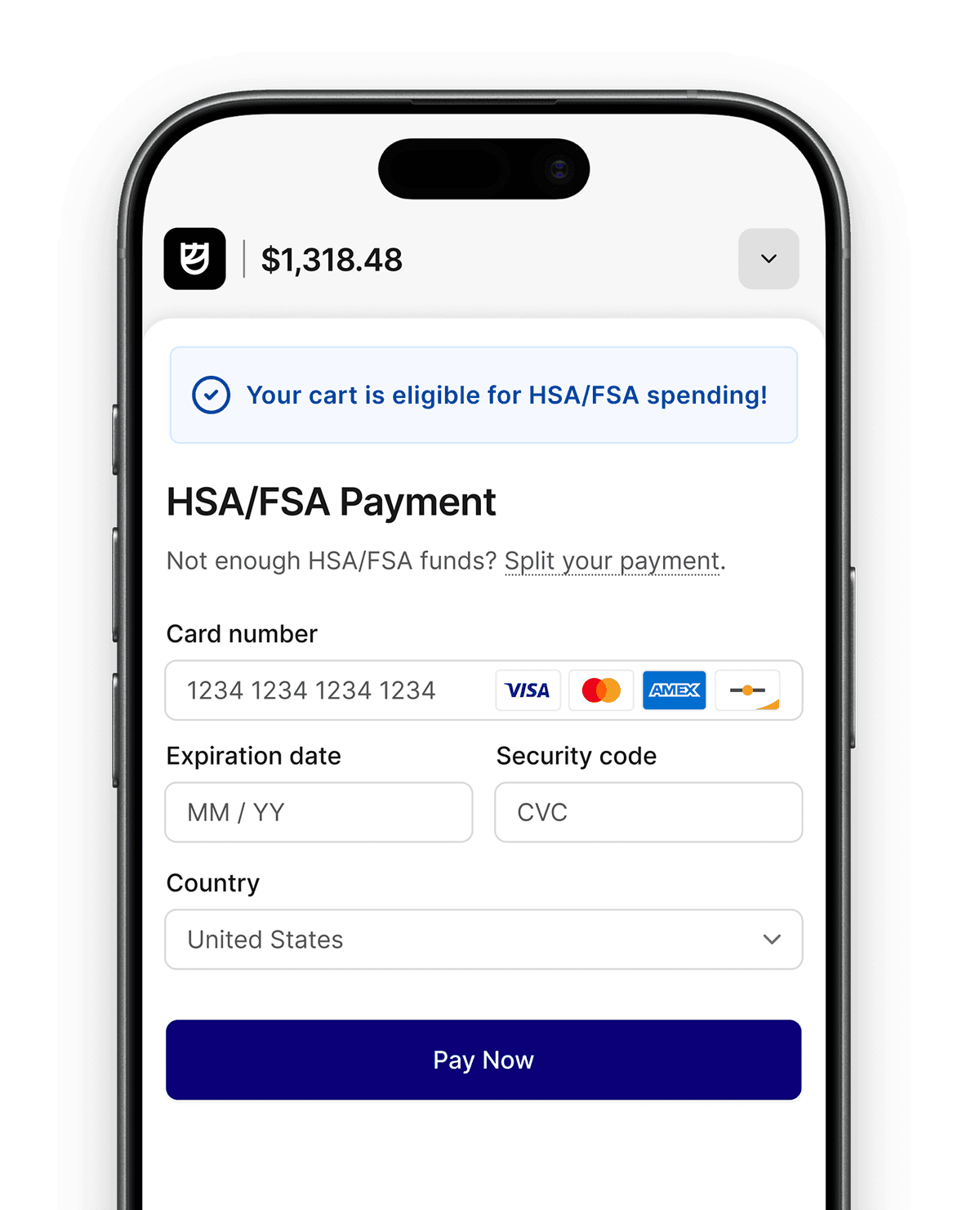
Next, you’ll need to build a custom checkout flow for customers that choose the HSA/FSA payment method. In Stripe, this means setting up a Stripe Custom Payment Method, which will add paying with your HSA/FSA as an additional payment option, creating a unified checkout experience that incorporates the new option.
Ideally, this will integrate seamlessly into what you’re already doing so that your customers are simply able to choose their HSA/FSA card the same way they would a credit card. If you’re already using Stripe, you likely have a payment overlay on your checkout page already.
By adding HSA/FSA payment options, you’re simply adding another integration that integrates an additional payment option, funneling customers to your HSA/FSA payment flow. Customers can easily pay with an HSA/FSA card by choosing this option.
In some cases, companies will choose to build this from scratch, but it takes a lot of time and effort to build the foundation. From there, you’ll need to customize each integration you need along the way. Typically, it’s far more efficient to go with an HSA/FSA payment provider that can get things up and running quickly and make sure customers get the best experience.
Leading payment providers like Flex have pre-built, optimized checkout flows that are easy to set up and optimized to increase conversions.
3. Add indicators of eligibility to HSA/FSA products on the website
Simply listing your products and hoping they sell isn’t enough. Let people know you accept HSA/FSA payments, and market the products that are HSA/FSA eligible.
While it may seem like overkill, you’ll want to do this anywhere you advertise the product, as well as on all checkout pages. The more you can do to make it obvious the product can be purchased with HSA/FSA funds, the more likely customers are to buy.
4. Evaluate the impact of accepting HSA/FSA payments directly using Stripe
Flex’s ecommerce dashboard offers real-time visibility into your HSA/FSA channel, and measures total sales, product insights and more.
Online shops that use Flex have seen a 30% lift in checkout conversions, 50% increase in AOV because customers can use their HSA/FSA funds, and a 10% decrease in returns when buyers are using their pre-tax dollars. Learn how using Flex can get you these results.
Empower Stripe FSA/HSA payments with Flex Checkout
Accepting HSA/FSA payments with Flex and Stripe is easy. Flex helps you skip all of these time-consuming SIGIS & IIAS registration steps by auto-substantiating HSA/FSA eligibility at checkout for you.
Flex helps ecommerce merchants already using Stripe accept HSA/FSA payments while meeting all compliance requirements. Contact our team today to set up a demo and learn how we can help you grow your revenue.
🚀 Fast Facts: How to accept HSA/FSA payments with Stripe
Qualify using one of the three paths: having a medical MCC, using the 90% rule, or using a checkout integration
Integrate with Stripe, set up your checkout, and start accepting HSA/FSA payments
Using Flex can offer a shortcut through these steps, and level up your Stripe checkout
Stripe, one of the leading Payment Service Providers (PSPs), provides merchants with the financial infrastructure they need to process transactions effortlessly. They offer third-party payment integration capabilities for merchants looking to accept HSA/FSA payments.
Whether you’re wondering because you already have Stripe or because you’re interested in switching, we’ll cover how to accept HSA/FSA cards as a payment method with Stripe, including:
Does Stripe accept HSA/FSA cards as a payment method?
How to accept HSA/FSA payments with Stripe: the 3 paths you can take
How to start accepting Stripe HSA/FSA payments on your ecommerce website
Empower Stripe FSA/HSA payments with Flex Checkout
Let’s get started with the basics of how Stripe accepts HSA/FSA payments.
Does Stripe accept HSA/FSA cards as a payment method?
Yes, Stripe’s merchants can accept HSA/FSA card payments, and there are a number of methods you can use to qualify to use Stripe’s HSA/FSA Payments option. The core requirement is that your products need to qualify as HSA/FSA eligible, and you can let Stripe know that through any one of the following ways:
You are already set up with a healthcare-related Merchant Category Code (MCC) like 8099 for Medical Services
You attest that 90% of your volume comes from healthcare-related sales, register with SIGIS, and enable an IIAS system
You use an HSA/FSA payment processor like Flex to autosubstantiate HSA/FSA purchases for you on your Stripe-powered ecommerce site
Though it’s simple to get set up, you do need to get approved by Stripe to qualify to accept HSA/FSA payments using their platform.
How to accept HSA/FSA payments with Stripe: the 3 paths you can take
Stripe is capable of accepting HSA/FSA payments, but you need to get set up with Stripe to enable them. There are 3 different paths you can take to do this, each with varying levels of difficulty. We’re going to lay them out for you from easiest, to most time-consuming, and outline some of the pros and cons of each method:
Path 1: You have a healthcare-related MCC
If your business provides qualified medical services, you might have an HSA/FSA-eligible Merchant Category Code (MCC). These MCCs are automatically approved for HSA/FSA purchases because all of the products and services those businesses provide are eligible medical expenses.
If you already have a healthcare-related MCC, you don’t need to do anything further, as you automatically qualify to accept HSA/FSA payments. However, most online retailers don’t have one of these codes, because if you sell other kinds of products as well, or sell a lot of dual-purpose products, you likely won’t have a healthcare-related MCC.
Here are some of the most common health-related MCCs, so check if you have one:
5047: Medical Suppliers
5912: Drug Stores, Pharmacies
5975: Hearing Aids
5976: Orthopedic Goods, Prosthetic Devices
8011: Doctors and Physicians (NEC)
8021: Dentists, Orthodontists
8031: Osteopaths
8041: Chiropractors
8042: Optometrists, Ophthalmologists
8043: Opticians, Optical Goods, Eyeglasses
8049: Chiropodists, Podiatrists
8050: Nursing & Personal Care Facilities
8062: Hospitals
8099: Medical Services & Health Practitioners (NEC)
If you have a health-related MCC, you can simply accept payments through your Stripe payment platform right away. If you don’t have a health-related MCC, you need to use one of the two methods below:
Pros of This Method: This is the quickest way to accept HSA/FSA payments with Stripe.
Cons of This Method: Most online merchants don’t have healthcare-related MCCs, so it’s unlikely you qualify using this method.
Path 2: You register with SIGIS and enable an IIAS system to validate your sales
According to Stripe’s HSA/FSA payments documentation, if you attest that over 90% of your sales volume processes HSA/FSA goods, you also qualify to accept HSA/FSA payments without the healthcare-related MCC. The “90% Rule” allows merchants that attest that 90% of their sales come from prescriptions and other medical items and services to accept HSA/FSA payments without needing to implement an Inventory Information Approval System (IIAS). The 90% Rule is useful for businesses that don’t have a healthcare-related MCC, but still do almost all of their sales in healthcare-related products.
However, ‘attesting’ is not as simple as just saying it. Importantly, even with the 90% Rule, you still have to prove it by registering as a Special Interest Group for IIAS Standards (SIGIS) member, which allows you to get your products on the HSA/FSA Eligible Product List (EPL).
Typically, this is used by businesses that are heavily involved in the medical and healthcare industry, but simply don’t qualify for auto-approval, like pharmacies, drug stores, and other specialized medical, and healthcare merchants.
Merchants that don’t have healthcare-related MCCs or don’t meet the 90% Rule need to complete the IIAS certification process and implement an IIAS. This enables you to authenticate HSA/FSA payments by verifying the products at the point-of-sale.
With this method, you’ll also need to register with Visa and Mastercard, enabling auto-substantiation on HSA/FSA payments, and once you’ve completed all these steps, then reach out to Stripe and request approval to set up HSA/FSA payments as an option.
Once approved, you can enable HSA/FSA payment processing on your site. To learn more, we have a full guide on how to get your products on the HSA/FSA eligible list, which covers these steps in more detail.
Pros of This Method: If you don’t have an MCC, and don’t want to use a simpler HSA/FSA checkout platform, this is your only remaining option.
Cons of This Method: This method takes a long time, is challenging to do, and has upfront SIGIS membership registration costs.
It could potentially take you weeks to get on the Eligible Products List using this method. Use Flex’s HSA/FSA payment processor instead, and start generating HSA/FSA sales revenue this week.
Path 3: You use an HSA/FSA checkout platform like Flex to autosubstantiate your payments
If you don’t have a healthcare-related MCC, the best way to cut down on this upfront setup work is by integrating with Flex, enabling an end-to-end HSA/FSA payments right into your existing Stripe-powered checkout. If you integrate with Flex, we'll auto-substantiate purchases and pass the metadata to Stripe so they can process the payment seamlessly.
No SIGIS registration, no EPL registration, no need for the headache. Flex offers a huge shortcut through these steps, and you can get the integration set up much faster. Learn more about how Flex autosubstantiates purchases.
To get set up with Flex and Stripe, simply follow these steps:
Set up your Stripe account - Ensure you have a Stripe account with the Payment Element integration enabled
Configure the custom payment method - Create a custom payment method in the Stripe Dashboard and obtain your custom payment method ID
Install and configure - Follow Flex’s installation guide to set up the required dependencies and environment variables
Implement the integration - Follow Flex’s custom payment methods guide for step-by-step implementation instructions with code examples
Pros of This Method: This is by far the fastest and easiest way of getting HSA/FSA payments set up with Stripe if you don’t have a healthcare-related MCC. Flex also offers many more benefits and features to your checkout than just integrating directly with Stripe. We have a split cart feature that allows your customers to split their payments between their HSA/FSA funds and other payment methods. We also offer Letter of Medical Necessity consultations directly at checkout so your customers can check if they qualify before making their purchases.
Cons of This Method: You need to add another tool into your ecommerce tech stack, however, given Flex customers on average see a 30% checkout conversion lift and a 50% AOV lift, why wouldn’t you?
If you want to dig deeper into how to get the Flex + Stripe integration set up on your website, review our developer documentation. If development isn’t your speciality and you want to speak with someone from our team, set up a demo and we can show you.
How to start accepting Stripe HSA/FSA payments on your ecommerce website
Once you’ve gotten approval from Stripe using whichever method applies to you, it’s time to get your HSA/FSA payment process set up so you can accept HSA/FSA funds. Let’s look at how you’d actually set this up on your website once you’re approved:
1. Get HSA/FSA payments setup with Stripe
We covered the three ways to get set up earlier. Once you get confirmation from Stripe or have enabled any Stripe integrations (like Flex) in your checkout, you’re ready to start processing HSA/FSA payments.
2. Build a custom checkout flow with HSA/FSA as a payment method
Next, you’ll need to build a custom checkout flow for customers that choose the HSA/FSA payment method. In Stripe, this means setting up a Stripe Custom Payment Method, which will add paying with your HSA/FSA as an additional payment option, creating a unified checkout experience that incorporates the new option.
Ideally, this will integrate seamlessly into what you’re already doing so that your customers are simply able to choose their HSA/FSA card the same way they would a credit card. If you’re already using Stripe, you likely have a payment overlay on your checkout page already.
By adding HSA/FSA payment options, you’re simply adding another integration that integrates an additional payment option, funneling customers to your HSA/FSA payment flow. Customers can easily pay with an HSA/FSA card by choosing this option.
In some cases, companies will choose to build this from scratch, but it takes a lot of time and effort to build the foundation. From there, you’ll need to customize each integration you need along the way. Typically, it’s far more efficient to go with an HSA/FSA payment provider that can get things up and running quickly and make sure customers get the best experience.
Leading payment providers like Flex have pre-built, optimized checkout flows that are easy to set up and optimized to increase conversions.
3. Add indicators of eligibility to HSA/FSA products on the website
Simply listing your products and hoping they sell isn’t enough. Let people know you accept HSA/FSA payments, and market the products that are HSA/FSA eligible.
While it may seem like overkill, you’ll want to do this anywhere you advertise the product, as well as on all checkout pages. The more you can do to make it obvious the product can be purchased with HSA/FSA funds, the more likely customers are to buy.
4. Evaluate the impact of accepting HSA/FSA payments directly using Stripe
Flex’s ecommerce dashboard offers real-time visibility into your HSA/FSA channel, and measures total sales, product insights and more.
Online shops that use Flex have seen a 30% lift in checkout conversions, 50% increase in AOV because customers can use their HSA/FSA funds, and a 10% decrease in returns when buyers are using their pre-tax dollars. Learn how using Flex can get you these results.
Empower Stripe FSA/HSA payments with Flex Checkout
Accepting HSA/FSA payments with Flex and Stripe is easy. Flex helps you skip all of these time-consuming SIGIS & IIAS registration steps by auto-substantiating HSA/FSA eligibility at checkout for you.
Flex helps ecommerce merchants already using Stripe accept HSA/FSA payments while meeting all compliance requirements. Contact our team today to set up a demo and learn how we can help you grow your revenue.
Flex is the easiest way for direct to consumer brands and retailers to accept HSA/FSA for their products. From fitness and nutrition, to sleep and mental health, Flex takes a holistic view of healthcare and enables consumers to use their pre-tax money to do the same.