🚀 Fast Facts: Grow your Shopify store with HSA/FSA payments
- Shopify doesn’t automatically enable HSA and FSA payments—you have to set them up
- Integrating an HSA/FSA payment provider with your Shopify store will enable this for you
- Accepting HSA/FSA payments leads to increased AOV and can help grow your Shopify business
Consumers are investing more and more in their Health Savings Accounts (HSAs) and Flexible Spending Accounts (FSAs), and since these funds are already dedicated to healthcare-related expenses, most consumers are looking for easier ways to spend these funds.
Back in 2023, we found that 62% of respondents stated the availability of HSA/FSA payment options is “very important” when making a health or wellness-related purchase. This stands true today, with larger sums being invested — and spent — than ever before.
One of the easiest ways you can boost sales on your Shopify store is by accepting HSA and FSA payments on your ecommerce website. We’ll help you explore how to grow your Shopify business by accepting HSA and FSA payments, covering the following topics:
- Why you can’t automatically accept HSA and FSA payments on Shopify
- Eligibility requirements to accept HSA and FSA payments on Shopify
- How to set up HSA/FSA payments on your Shopify store in 4 steps
- 5 reasons why accepting HSA/FSA payments will grow your Shopify sales
- Flex: a compliant and fast way to accept HSA/FSA payments in your Shopify store
First, let’s look at what it takes to get set up to process HSA and FSA payments through your Shopify store.
Why you can’t automatically accept HSA and FSA payments on Shopify
While Shopify is set up to enable their customers to accept HSA and FSA payment methods, they don’t provide this function themselves, and don’t offer it automatically. To accept payments through a Shopify store, you need a designated, compliant HSA/FSA provider that integrates with your checkout to substantiate HSA/FSA purchases according to IRS guidelines.
Typically, HSA and FSA cards are only used by medical institutions and retailers that have specific inventory management systems for substantiating eligible products. That means most consumer health and wellness companies are not automatically equipped to accept HSA and FSA payments off the bat.
However, since Shopify is set up to enable HSA and FSA payments it’s easy to get set up so you can start accepting payments from customers using their HSA/FSA funds.
Eligibility requirements to accept HSA and FSA payments on Shopify
If you want to accept HSA or FSA payments through Shopify, there are a few eligibility requirements you’ll need to meet:
- The store owner must be the one to make the request
- Your online store must be currently active and publicly accessible
- At least 90% of your sales need to come from goods or services
- The products you want to accept HSA/FSA payments for must belong to a category approved by the IRS
- Your products and services must comply with the Shopify TOS
Shopify doesn’t natively support HSA or FSA payments, so even if you meet these requirements, you’ll still need an HSA/FSA payment provider to accept HSA/FSA payments at checkout.
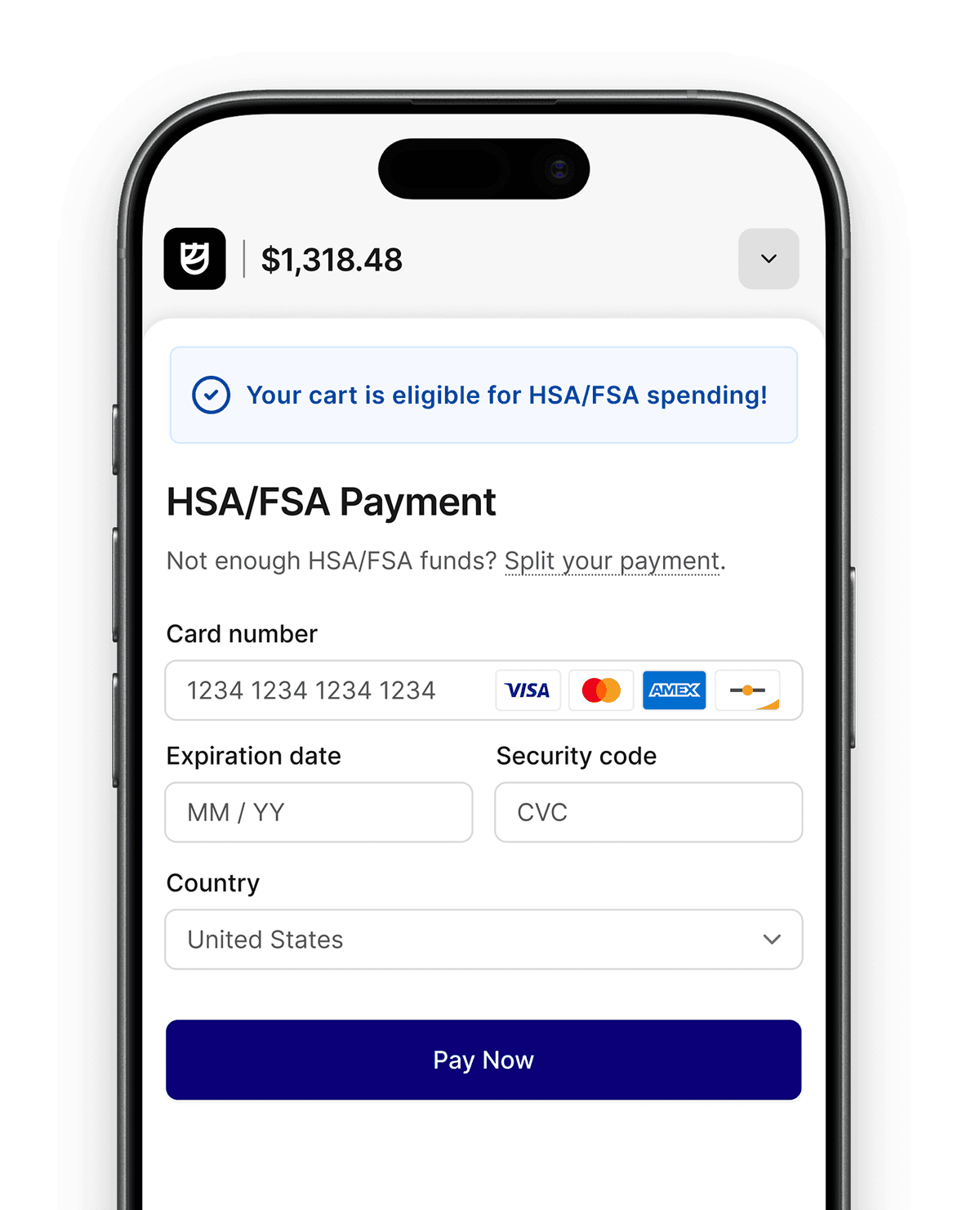
Flex is an HSA/FSA payment provider that integrates right into your existing Shopify store, substantiating purchases for your customers of HSA and FSA eligible items. Simply verify your eligibility with us, add Flex to your Shopify store, add a custom checkout that accepts HSA/FSA as a payment method for the products that apply, and you’re all set.
Beyond this, your products themselves need to meet specific requirements to be eligible to be purchased using HSA or FSA funds. One of the following criteria must be met for your products or services to be eligible:
- Your product or service must address a specific medical condition
- You need an appropriate Merchant Category Code (MCC)
- You need an Inventory Information Approval System (IIAS) to substantiate products
How to set up HSA/FSA payments on your Shopify store in 4 steps
While Shopify merchants can’t automatically accept HSA and FSA payments, the process for setting this up is relatively straightforward. This is how you get it done:
1. Choose an HSA/FSA provider to layer on your Shopify store

First, you’ll need to choose the HSA/FSA payment provider you’re going to use to process payments on eligible products. You want a solution that makes your life easier, helping you easily create custom checkout flows and automating as much of the backend process for you as possible.
This HSA/FSA payment provider will layer on top of Shopify as an additional payment method, and then take care of the HSA/FSA eligibility concerns with accepting payments. Think of this just like another payment method you might layer into your Shopify store, like accepting PayPal or Affirm.
We’ll show you how to do this with Flex in the next few steps as an example.
2. Onboard with the HSA/FSA provider you choose

Once you’ve made your choice, you’ll need to sign up with the HSA/FSA payment provider, which will likely involve setting up an account and submitting your personal, business, and banking details. It shouldn’t be too difficult, but you’ll need to have this fully set up before you plan on integrating with Shopify.
Your provider will confirm your eligibility with you, determining which products and services you are eligible to accept HSA/FSA payments for in your Shopify store.
If you want a more detailed breakdown of the steps here, this is how we onboard merchants at Flex.
3. Set up your custom checkout flow to include HSA/FSA as a payment method

Next, you’ll need to set up your HSA/FSA checkout and payment flow. You’ll want to streamline the checkout so it’s easy for customers to choose HSA or FSA payments as an option, and then process payments effortlessly — without having to jump through additional hoops.
Ideally, this overlays seamlessly with Shopify’s checkout process so it’s simple and convenient for customers.
4. Advertise that you accept HSA/FSA payments in your Shopify store

Now that you can accept HSA and FSA payments, you’ll want to advertise this clearly on your website and wherever you list your products. Make it clear that these products are eligible to be purchased with HSA or FSA funds, ideally with a clear label or sticker that stands out.
Once you make it clear to customers that they can pay for eligible products with their HSA/FSA card, you’re ready to start accepting payments.
5 reasons why accepting HSA/FSA payments will grow your Shopify sales
Accepting HSA and FSA payments can be a significant growth lever to increase sales in your Shopify store. Here are some of the main ways (backed by data) that Shopify merchants can grow business by accepting HSA and FSA payments:
1. HSA/FSA funds account for a massive portion of the market
Billions of dollars are spent each year from HSA and FSA funds. According to Devenir’s research report, HSA assets had reached nearly $147 billion across 39 million accounts by the end of 2024, and they predict this will grow to $199 billion and 45 million accounts by the end of 2027. If you’re not accepting HSA and FSA payments, you’re missing out on a massive opportunity.
Now, not all of this money is spent, as consumers keep funds in their accounts and allow them to grow, especially with their HSA. Because of the FSA’s use-it-or-lose-it rule, FSA funds tend to be spent at a much higher rate. Combined though, Numerator estimated that $83 billion is spent annually, with $47 billion spent annually from HSAs and $36 billion spent annually from FSAs.
Quite simply, if you aren’t accepting HSA or FSA payments and your products would be eligible, you’re leaving money on the table.
2. Customers prefer paying with their HSA/FSA funds
According to our own survey results, 92% of respondents said they would be “very likely” to shop at a merchant again if they offered HSA/FSA payment options. The reality is that this is money that’s already been dedicated to healthcare spending, and the customer wants to spend it. Typically, they’re more likely to part with their hard-earned cash when it’s already been ear-marked for a healthcare expense.
By enabling customers to spend money with their HSA/FSA funds, you can drastically increase conversation rates. Flex customers have seen results like an Average Order Value (AOV) increase of 50%, and a checkout conversion rate increase of 30%.
3. Customers are willing to spend more money when using HSA/FSA funds
Customers are often more willing to part with their HSA and FSA funds because they can’t spend them elsewhere. Since customers generally save from 30% to 40% on purchases they make with their account, they’re more willing to spend, even on products they otherwise wouldn’t buy.
Among our partners, we’ve found that average order values are higher when customers can spend with HSA and FSA funds. In some cases, much higher: Nanobébé found customers spent 60% more using their health benefits, while AMMD Amy Myers MD saw a 2.5x increase in average order values.
4. Customers are more likely to convert at checkout
When customers are using HSA and FSA funds, they’re more likely to spend. Airdog USA found that 20% more shoppers completed checkout when spending with HSA or FSA money. By enabling these payments you not only offer customers a great alternative, but you offer them options that reduce the reasons why most customers drop off at checkout.
5. Customers are up to 40% less likely to return items
Our merchant Chilipad saw a significant reduction in product returns from customers that made purchases with their HSA/FSA funds, amounting to a 40% reduction. Ultimately, customers treat the purchases as more final, and are less inclined to refund the product once they’ve made a decision.
Lowering returns margins can be just as valuable in terms of revenue and business growth.
Flex: a compliant and fast way to accept HSA/FSA payments in your Shopify store
Here at Flex, we don’t just enable you to accept HSA/FSA payments, we empower you to drive sales and grow your Shopify business. We’ve partnered with many Shopify businesses to make the HSA and FSA payment process easy and convenient, with our many HSA/FSA payment features that really offer the opportunity to unlock more Shopify business growth.
We even have a feature that enables Letter of Medical Necessity (LMN) consultations right at checkout, so customers can check with a telehealth practitioner if they are eligible to make a purchase. We also have split cart capabilities that let you pay for a portion of the purchase using your HSA or FSA, finishing the rest with another payment method (like a credit or debit card).
Get in touch with the experts at Flex to find out exactly how we can help you accept HSA and FSA payments. If you’re considering this option, you can get set up very quickly with our Shopify Payment App or with Flex's Secure API.