/

Engineering

Securing Flex Checkout Order Confirmations with Webhooks

Sam O'Keefe Co-Founder and CEO of Flex

Sam O'Keefe

Co-founder & CEO of Flex

Securing Flex Checkout Order Confirmations with Webhooks

Updated: February 12, 2026

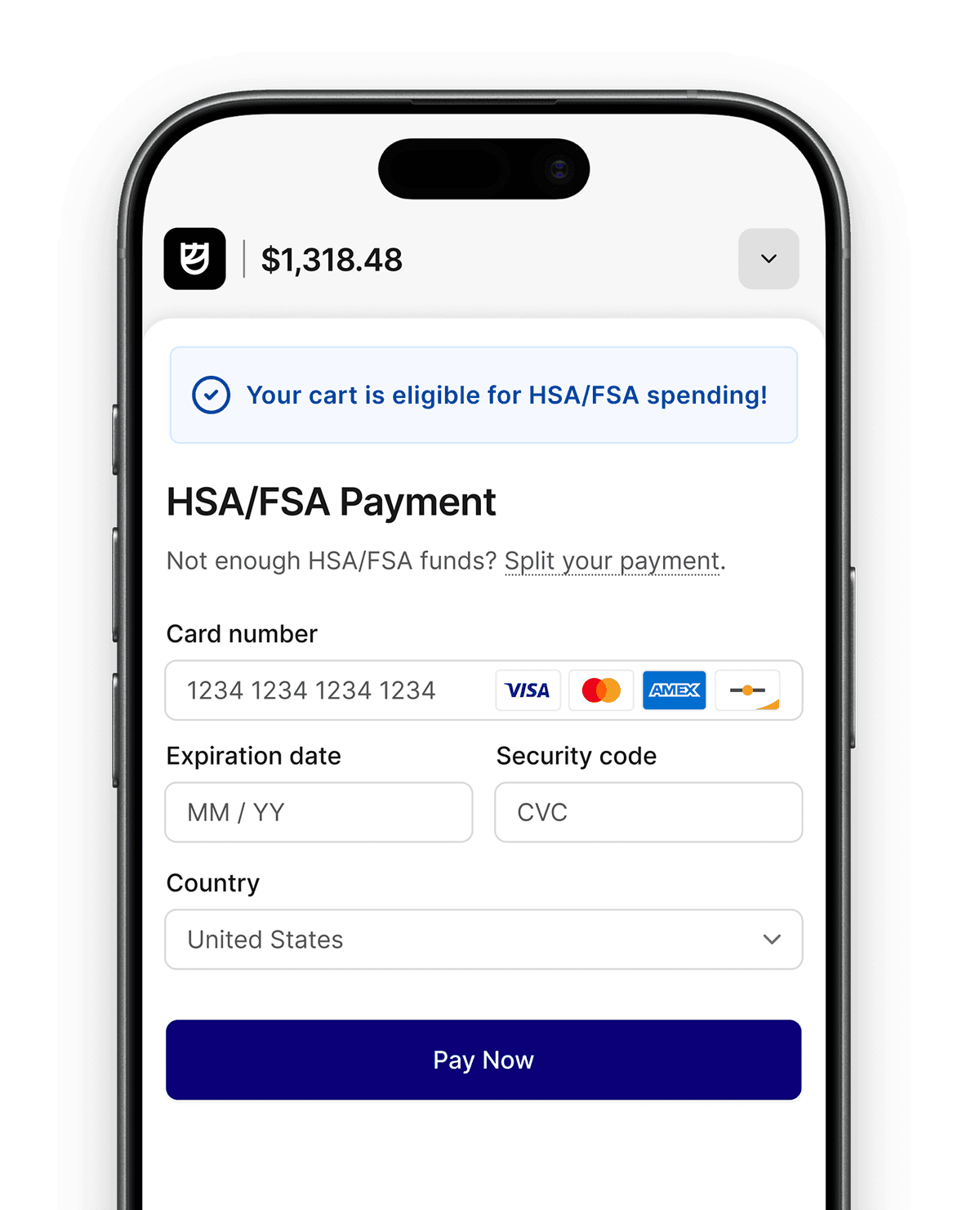
Flex empowers merchants to process payments for HSA/FSA cards as well as standard credit/debit cards. 

The process of doing so typically looks something like this:

Flex empowers merchants to process payments for HSA/FSA cards as well as standard credit/debit cards.

While this looks straightforward, there are two potential problems with this happy path:

  1. What happens if the customer completes payment, but steps into an elevator and Redirect #2 fails?

  2. What happens if a customer forces their browser to perform Redirect #2 without actually making a payment?

These problems can also occur when the checkout is presented in an iframe or a popup, but the mechanism by which the problems can occur is slightly different.

In this post we’ll talk about the impact of lost and fraudulent orders, and how to mitigate both problems.

Flex empowers merchants to process payments for HSA/FSA cards as well as standard credit/debit cards. 

The process of doing so typically looks something like this:

Flex empowers merchants to process payments for HSA/FSA cards as well as standard credit/debit cards.

While this looks straightforward, there are two potential problems with this happy path:

  1. What happens if the customer completes payment, but steps into an elevator and Redirect #2 fails?

  2. What happens if a customer forces their browser to perform Redirect #2 without actually making a payment?

These problems can also occur when the checkout is presented in an iframe or a popup, but the mechanism by which the problems can occur is slightly different.

In this post we’ll talk about the impact of lost and fraudulent orders, and how to mitigate both problems.

Flex empowers merchants to process payments for HSA/FSA cards as well as standard credit/debit cards. 

The process of doing so typically looks something like this:

Flex empowers merchants to process payments for HSA/FSA cards as well as standard credit/debit cards.

While this looks straightforward, there are two potential problems with this happy path:

  1. What happens if the customer completes payment, but steps into an elevator and Redirect #2 fails?

  2. What happens if a customer forces their browser to perform Redirect #2 without actually making a payment?

These problems can also occur when the checkout is presented in an iframe or a popup, but the mechanism by which the problems can occur is slightly different.

In this post we’ll talk about the impact of lost and fraudulent orders, and how to mitigate both problems.

Failed Return Redirect

A customer might complete payment at checkout.withflex.com, but the redirect back to a merchant’s site can fail, usually due to a network failure. The payment may go through, but the redirect fails. If the redirect fails, the merchant will never be notified of the successful payment, and the order will typically be marked as abandoned in a merchant’s order system, even though payment was received.

This problem could also happen when the Flex checkout is presented in an iframe or popup window. While the payment may be successful and the notification is successfully sent to the merchant’s page, if the customer’s network has been disconnected, the merchant won't be able to notify their own backend systems of the successful payment.

This creates frustration for customers because the merchant may never fulfill the order. To prevent this from happening, merchants can listen to Flex’s checkout.session.completed webhook:

Failed Return Redirect

Leveraging webhooks can completely resolve this type of failure because webhooks are sent from a server to a server and are retried on failure. We also provide webhook delivery logs in the Flex dashboard. 

But what happens if someone fraudulently sends a merchant a webhook event? After all, at its simplest, a webhook is merely an API endpoint that is open to the public.

A customer might complete payment at checkout.withflex.com, but the redirect back to a merchant’s site can fail, usually due to a network failure. The payment may go through, but the redirect fails. If the redirect fails, the merchant will never be notified of the successful payment, and the order will typically be marked as abandoned in a merchant’s order system, even though payment was received.

This problem could also happen when the Flex checkout is presented in an iframe or popup window. While the payment may be successful and the notification is successfully sent to the merchant’s page, if the customer’s network has been disconnected, the merchant won't be able to notify their own backend systems of the successful payment.

This creates frustration for customers because the merchant may never fulfill the order. To prevent this from happening, merchants can listen to Flex’s checkout.session.completed webhook:

Failed Return Redirect

Leveraging webhooks can completely resolve this type of failure because webhooks are sent from a server to a server and are retried on failure. We also provide webhook delivery logs in the Flex dashboard. 

But what happens if someone fraudulently sends a merchant a webhook event? After all, at its simplest, a webhook is merely an API endpoint that is open to the public.

A customer might complete payment at checkout.withflex.com, but the redirect back to a merchant’s site can fail, usually due to a network failure. The payment may go through, but the redirect fails. If the redirect fails, the merchant will never be notified of the successful payment, and the order will typically be marked as abandoned in a merchant’s order system, even though payment was received.

This problem could also happen when the Flex checkout is presented in an iframe or popup window. While the payment may be successful and the notification is successfully sent to the merchant’s page, if the customer’s network has been disconnected, the merchant won't be able to notify their own backend systems of the successful payment.

This creates frustration for customers because the merchant may never fulfill the order. To prevent this from happening, merchants can listen to Flex’s checkout.session.completed webhook:

Failed Return Redirect

Leveraging webhooks can completely resolve this type of failure because webhooks are sent from a server to a server and are retried on failure. We also provide webhook delivery logs in the Flex dashboard. 

But what happens if someone fraudulently sends a merchant a webhook event? After all, at its simplest, a webhook is merely an API endpoint that is open to the public.

Protecting merchant orders with Webhook Endpoints

To prevent an attacker from exploiting a merchant’s webhook endpoint, we add a svix-signature header when Flex makes a request to the merchant. That header contains an HMAC-SHA256 signature that should be used to verify the authenticity of the webhook request.

When a merchant registers a webhook on the Flex Dashboard a signing secret will be provided to the merchant. That secret is used as part of the verification process. Once the signature has been successfully verified, the merchant can be certain that the request originated from Flex and the payload has not been tampered with.

The signature will not prevent attackers from attempting to submit events to a webhook endpoint, but if correctly verified, will prevent an attacker from having their fraudulent event processed by the merchant’s order system.

We recommend that webhook endpoints return a 401 status code if the signature fails to be successfully verified. This aids in debugging when legitimate webhooks requests fail to be delivered successfully.

To prevent an attacker from exploiting a merchant’s webhook endpoint, we add a svix-signature header when Flex makes a request to the merchant. That header contains an HMAC-SHA256 signature that should be used to verify the authenticity of the webhook request.

When a merchant registers a webhook on the Flex Dashboard a signing secret will be provided to the merchant. That secret is used as part of the verification process. Once the signature has been successfully verified, the merchant can be certain that the request originated from Flex and the payload has not been tampered with.

The signature will not prevent attackers from attempting to submit events to a webhook endpoint, but if correctly verified, will prevent an attacker from having their fraudulent event processed by the merchant’s order system.

We recommend that webhook endpoints return a 401 status code if the signature fails to be successfully verified. This aids in debugging when legitimate webhooks requests fail to be delivered successfully.

To prevent an attacker from exploiting a merchant’s webhook endpoint, we add a svix-signature header when Flex makes a request to the merchant. That header contains an HMAC-SHA256 signature that should be used to verify the authenticity of the webhook request.

When a merchant registers a webhook on the Flex Dashboard a signing secret will be provided to the merchant. That secret is used as part of the verification process. Once the signature has been successfully verified, the merchant can be certain that the request originated from Flex and the payload has not been tampered with.

The signature will not prevent attackers from attempting to submit events to a webhook endpoint, but if correctly verified, will prevent an attacker from having their fraudulent event processed by the merchant’s order system.

We recommend that webhook endpoints return a 401 status code if the signature fails to be successfully verified. This aids in debugging when legitimate webhooks requests fail to be delivered successfully.

Protecting the success_url and embedded checkout

While listening to and verifying webhooks are the gold standard in server-to-server communication, the downside is that they are inherently asynchronous. While webhooks are typically delivered within milliseconds, that can often be after the customer has already been redirected back to the merchant.

Relying exclusively on webhooks can produce a scenario where the user is redirected to the order confirmation page, but since the webhook hasn’t yet been received, the order is still in a payment pending status. To prevent this, most merchants will optimistically update the order status when the user arrives at the success_url which is the URL that was provided by the merchant as part of checkout session creation. But because Flex does not treat the success_url as secret, it’s possible for an attacker to access the URL directly and bypass payment!

Likewise, if the Flex checkout is embedded in an iframe or a popup, Flex will send events to the merchant’s page using the postMessage API. However, an attacker can trivially open their browser’s console and send client events using the same API.

Therefore, it is critical that merchants trust the customer, but verify the payment. There are two ways merchants can accomplish this. 

The easiest approach would be to use the Flex API to retrieve the checkout session which should have a status of complete. It is possible that a merchant will have already received and processed the webhook before the user is redirected, but that isn’t guaranteed. 

The downside with this solution is that the user will have to wait for the merchant to check the status of the checkout session before getting the order confirmation page. While this delay is normally in the milliseconds, it may be more latency than a merchant can tolerate.

Protecting the success_url and embedded checkout

Another approach could be to assume that the payment is complete, but hold order fulfillment of the payment until the payment is verified. After the expires_at date time, if the merchant still has not received the webhook, they can use the Flex API to retrieve the status of the checkout session. If the checkout session doesn’t have a status of complete then the status of the order can be updated accordingly. This solution decreases the latency for most users, but shifts that latency to order fulfillment.

checkout-decreased-latency

It’s important that one of these two methods is implemented to prevent fraudulent orders from being injected into a merchant’s order system. In other words, always explicitly verify payment has been completed —using either webhook verification or by making an API request  — before proceeding with fulfillment.

While listening to and verifying webhooks are the gold standard in server-to-server communication, the downside is that they are inherently asynchronous. While webhooks are typically delivered within milliseconds, that can often be after the customer has already been redirected back to the merchant.

Relying exclusively on webhooks can produce a scenario where the user is redirected to the order confirmation page, but since the webhook hasn’t yet been received, the order is still in a payment pending status. To prevent this, most merchants will optimistically update the order status when the user arrives at the success_url which is the URL that was provided by the merchant as part of checkout session creation. But because Flex does not treat the success_url as secret, it’s possible for an attacker to access the URL directly and bypass payment!

Likewise, if the Flex checkout is embedded in an iframe or a popup, Flex will send events to the merchant’s page using the postMessage API. However, an attacker can trivially open their browser’s console and send client events using the same API.

Therefore, it is critical that merchants trust the customer, but verify the payment. There are two ways merchants can accomplish this. 

The easiest approach would be to use the Flex API to retrieve the checkout session which should have a status of complete. It is possible that a merchant will have already received and processed the webhook before the user is redirected, but that isn’t guaranteed. 

The downside with this solution is that the user will have to wait for the merchant to check the status of the checkout session before getting the order confirmation page. While this delay is normally in the milliseconds, it may be more latency than a merchant can tolerate.

Protecting the success_url and embedded checkout

Another approach could be to assume that the payment is complete, but hold order fulfillment of the payment until the payment is verified. After the expires_at date time, if the merchant still has not received the webhook, they can use the Flex API to retrieve the status of the checkout session. If the checkout session doesn’t have a status of complete then the status of the order can be updated accordingly. This solution decreases the latency for most users, but shifts that latency to order fulfillment.

checkout-decreased-latency

It’s important that one of these two methods is implemented to prevent fraudulent orders from being injected into a merchant’s order system. In other words, always explicitly verify payment has been completed —using either webhook verification or by making an API request  — before proceeding with fulfillment.

While listening to and verifying webhooks are the gold standard in server-to-server communication, the downside is that they are inherently asynchronous. While webhooks are typically delivered within milliseconds, that can often be after the customer has already been redirected back to the merchant.

Relying exclusively on webhooks can produce a scenario where the user is redirected to the order confirmation page, but since the webhook hasn’t yet been received, the order is still in a payment pending status. To prevent this, most merchants will optimistically update the order status when the user arrives at the success_url which is the URL that was provided by the merchant as part of checkout session creation. But because Flex does not treat the success_url as secret, it’s possible for an attacker to access the URL directly and bypass payment!

Likewise, if the Flex checkout is embedded in an iframe or a popup, Flex will send events to the merchant’s page using the postMessage API. However, an attacker can trivially open their browser’s console and send client events using the same API.

Therefore, it is critical that merchants trust the customer, but verify the payment. There are two ways merchants can accomplish this. 

The easiest approach would be to use the Flex API to retrieve the checkout session which should have a status of complete. It is possible that a merchant will have already received and processed the webhook before the user is redirected, but that isn’t guaranteed. 

The downside with this solution is that the user will have to wait for the merchant to check the status of the checkout session before getting the order confirmation page. While this delay is normally in the milliseconds, it may be more latency than a merchant can tolerate.

Protecting the success_url and embedded checkout

Another approach could be to assume that the payment is complete, but hold order fulfillment of the payment until the payment is verified. After the expires_at date time, if the merchant still has not received the webhook, they can use the Flex API to retrieve the status of the checkout session. If the checkout session doesn’t have a status of complete then the status of the order can be updated accordingly. This solution decreases the latency for most users, but shifts that latency to order fulfillment.

checkout-decreased-latency

It’s important that one of these two methods is implemented to prevent fraudulent orders from being injected into a merchant’s order system. In other words, always explicitly verify payment has been completed —using either webhook verification or by making an API request  — before proceeding with fulfillment.

What’s next?

We’re always looking for ways to simplify implementation while keeping merchants and customers secure. In the coming months we plan to add support for optionally passing a signed JSON Web Token  to the success_url and client-side events sent with postMessage that can be used to verify the status of the checkout session without having to make a request to the Flex API or wait for the webhooks to be received. 

We are also looking forward to migrating the success_url to a secret until payment is complete. This could allow merchants to use their own nonce in the success_url which can also verify that the redirect URL was not accessed without a successful payment.

If you have any questions, please don’t hesitate to reach out to us at support@withflex.com.

We’re always looking for ways to simplify implementation while keeping merchants and customers secure. In the coming months we plan to add support for optionally passing a signed JSON Web Token  to the success_url and client-side events sent with postMessage that can be used to verify the status of the checkout session without having to make a request to the Flex API or wait for the webhooks to be received. 

We are also looking forward to migrating the success_url to a secret until payment is complete. This could allow merchants to use their own nonce in the success_url which can also verify that the redirect URL was not accessed without a successful payment.

If you have any questions, please don’t hesitate to reach out to us at support@withflex.com.

We’re always looking for ways to simplify implementation while keeping merchants and customers secure. In the coming months we plan to add support for optionally passing a signed JSON Web Token  to the success_url and client-side events sent with postMessage that can be used to verify the status of the checkout session without having to make a request to the Flex API or wait for the webhooks to be received. 

We are also looking forward to migrating the success_url to a secret until payment is complete. This could allow merchants to use their own nonce in the success_url which can also verify that the redirect URL was not accessed without a successful payment.

If you have any questions, please don’t hesitate to reach out to us at support@withflex.com.

More content from Flex

SPEAK WITH A FLEX EXPERT TO

Start accepting HSA/FSA
payments to drive more revenue

Identify if you need payments or reimbursements

See how Flex looks in your checkout flow

Easily integrate Flex with no changes to your stack

Book a Demo

Book a Demo

Book a Demo